NSFAS Consent Form 2026: PDF Download, How to Fill & Submit

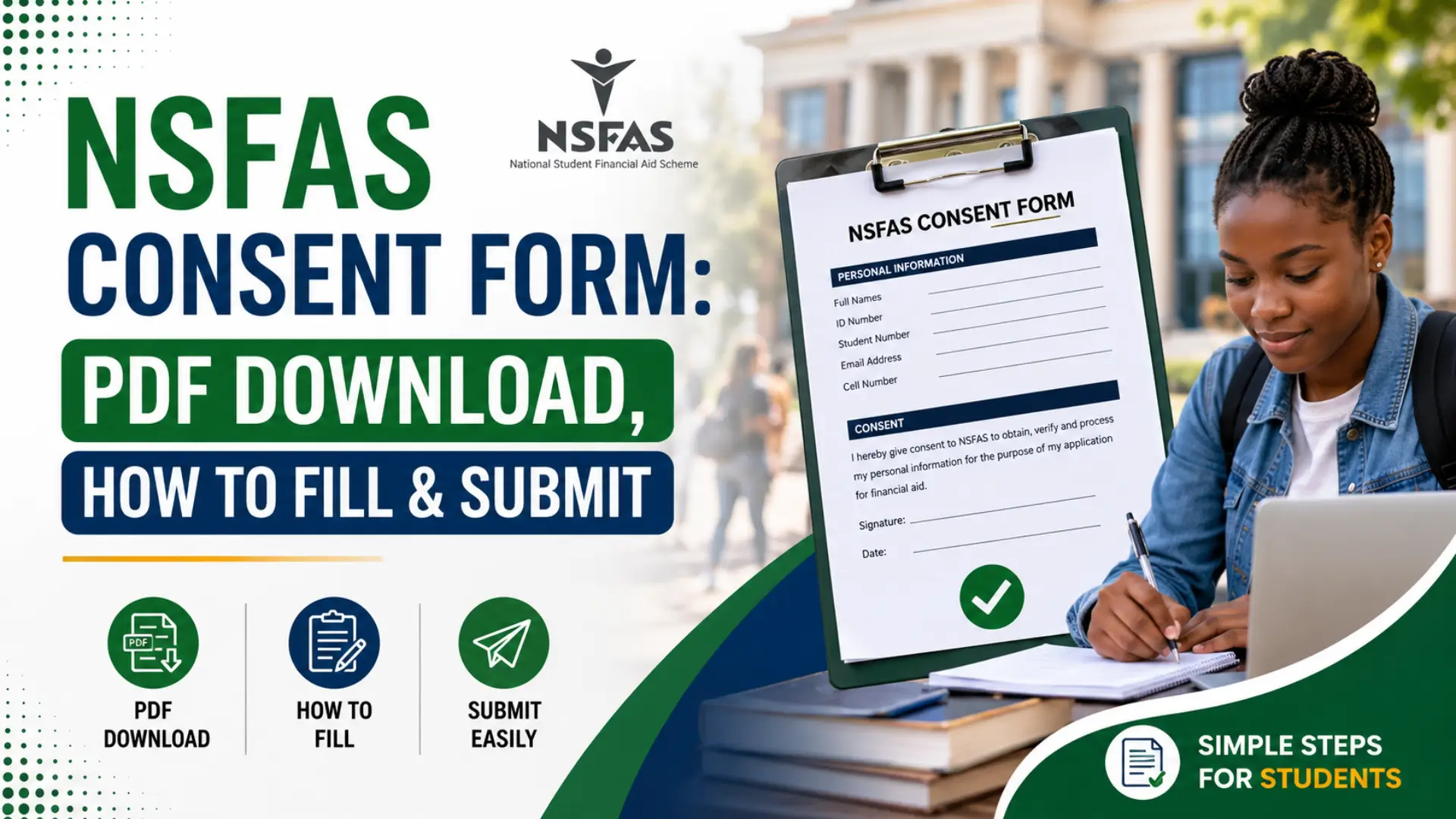
The NSFAS consent form is a mandatory document every South African student must submit to unlock their National Student Financial Aid Scheme funding. Without this signed permission slip, NSFAS cannot verify your household income with SARS, SASSA, or employers and your application stalls indefinitely.
Whether you’re a first-year applicant, a returning student, or applying through UNISA or UJ, understanding how to fill the NSFAS consent form, where to download the official PDF, and how to submit it correctly can mean the difference between funded studies and a missed semester. This guide covers everything: downloads, examples, online signing, and common mistakes to avoid.
What Is the NSFAS Consent Form and Why Do You Actually Need It?
The NSFAS consent form is a legal document that gives the National Student Financial Aid Scheme permission to verify your personal and financial information with third parties like SARS, SASSA, and employers. Without it, your NSFAS application simply won’t move forward.
Think of it like giving someone the keys to check your house — NSFAS needs those keys to confirm you actually qualify for funding.
Every applicant must submit this form. No exceptions. Not for first-years. Not for returning students. Everyone.
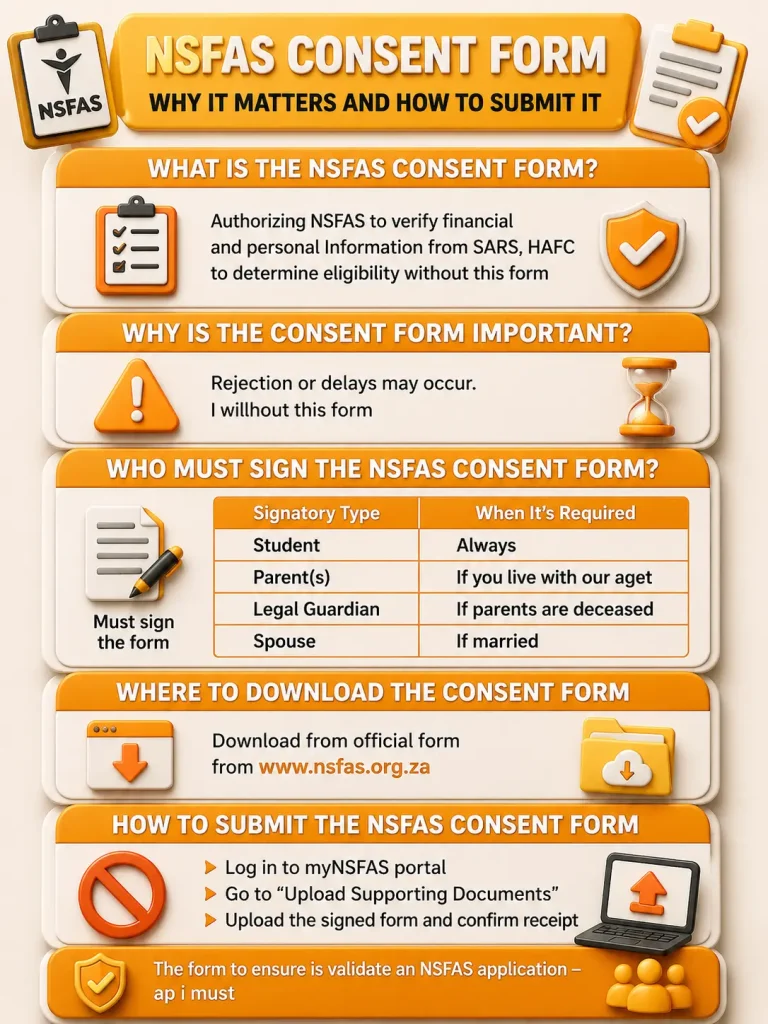
Who Needs to Sign the NSFAS Consent Form?
This trips up a lot of people. Here’s the deal:
| Situation | Who Must Sign |
|---|---|
| You’re under 18 | A parent or legal guardian |
| You’re 18 or older but financially dependent on parents | You + your parent/guardian |
| You’re 18+ and fully independent | Just you |
| You’re an orphan or in foster care | A social worker or legal guardian |
| You’re a UNISA/UJ distance student | Same rules apply — no exceptions |
So yes, do adults need to sign the NSFAS consent form? If you’re over 18 and supporting yourself, you sign alone. But if mom or dad still handles your finances, they need to sign too.
NSFAS Consent Form 2026
The NSFAS consent form 2026 isn’t drastically different from previous years, but there are a few things to watch.
NSFAS updated their verification process in late 2025. The 2026 form now includes clearer language about data sharing with SARS and banks. They’ve also streamlined the online signing process more on that below.
The form itself is still one page. Don’t let anyone tell you otherwise.
Where to Get the NSFAS Consent Form
Alright, let’s cut through the confusion.
The only legitimate place to get the form is the official NSFAS website: www.nsfas.org.za.
Here’s exactly where to find it:
- Go to www.nsfas.org.za
- Click “MyNSFAS” at the top right
- Log into your account (or register if you haven’t)
- Navigate to “Documents” or “Upload Documents”
- The NSFAS consent form PDF will be available for download
Don’t download from random Facebook groups or WhatsApp links. I’ve seen students submit outdated forms because they got them from a “helpful” group chat. NSFAS rejected those applications outright.
How to Download the NSFAS Consent Form PDF
Want the NSFAS consent form PDF download 2026? Here’s the fastest route.
If you already have a MyNSFAS account:
- Log in at www.nsfas.org.za
- Go to “Application” → “Supporting Documents“
- Click “Download Consent Form“
- Save the PDF to your phone or laptop
If you don’t have an account yet:
- Register first at www.nsfas.org.za
- You’ll need your South African ID number and a working email
- Once registered, follow the same steps above ( Click “Registration Received NSFAS” to understand its meaning and next steps. )
The download nsfas consent form pdf option is free. Never pay anyone for it. If someone’s selling it, they’re scamming you.
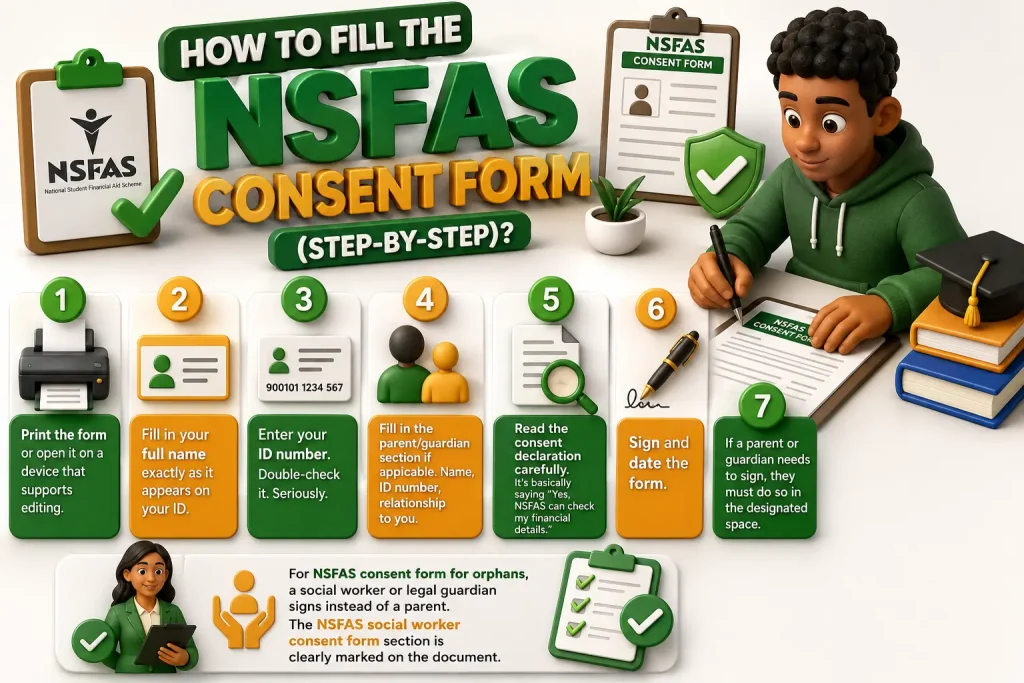
How to Fill the NSFAS Consent Form (Step-by-Step)?
Filling this thing out isn’t rocket science, but one mistake can delay your funding for weeks. Here’s exactly how to fill nsfas consent form correctly:
Step 1: Print the form or open it on a device that supports editing.
Step 2: Fill in your full name exactly as it appears on your ID.
Step 3: Enter your ID number. Double-check it. Seriously.
Step 4: Fill in the parent/guardian section if applicable. Name, ID number, relationship to you.
Step 5: Read the consent declaration carefully. It’s basically saying “Yes, NSFAS can check my financial details.”
Step 6: Sign and date the form.
Step 7: If a parent or guardian needs to sign, they must do so in the designated space.
For nsfas consent form for orphans, a social worker or legal guardian signs instead of a parent. The nsfas social worker consent form section is clearly marked on the document.
NSFAS Consent Form Filled Example
Let me paint you a picture of a properly completed form.
| Field | Example Entry |
|---|---|
| Student Name | Thabo Molefe |
| Student ID | 010101 1234 08 7 |
| Parent/Guardian Name | Sarah Molefe |
| Parent/Guardian ID | 750202 5678 09 2 |
| Relationship | Mother |
| Date | 12 July 2026 |
| Student Signature | [Thabo’s signature] |
| Parent Signature | [Sarah’s signature] |
The nsfas consent form filled example above shows the basics. Make sure handwriting is legible. If NSFAS can’t read it, they’ll reject it.
How to Sign the NSFAS Consent Form Online?
Yes, NSFAS introduced digital signing through the MyNSFAS portal in 2024. Here’s how to sign nsfas consent form online:
- Log into MyNSFAS
- Go to “Upload Documents“
- Click on the consent form
- You’ll see an option to “Sign Electronically“
- Follow the prompts usually involves an OTP sent to your phone
However, if you’re a minor or need a parent/guardian signature, things get trickier. The parent may need to create their own MyNSFAS profile or sign a physical copy.
For sign nsfas consent form online situations where the portal glitches (and it does), print, sign, scan, and upload as a backup.
How to Submit the NSFAS Consent Form
Option 1: Online Upload (Recommended)
- Log into MyNSFAS
- Go to “Documents” or “Upload Documents“
- Select “Consent Form“
- Upload your signed PDF or scanned image
- Wait for the “Uploaded Successfully” confirmation
Option 2: Email (If Portal Isn’t Working)
- Some students ask about the nsfas consent form email address. NSFAS generally prefers portal uploads, but if you’re stuck, email [email protected] with your ID number in the subject line.
Option 3: Physical Submission
- NSFAS no longer accepts walk-ins at most offices. Don’t waste taxi fare unless you’ve confirmed otherwise.
Where to send nsfas consent form?
Stick to the portal. It’s the only way you get a confirmation receipt.
Where to Submit the NSFAS Consent Form for Specific Universities
Different institutions sometimes have additional requirements. Here’s what you need to know:
| University | Special Note |
|---|---|
| UNISA | NSFAS consent form UNISA students upload via MyNSFAS, same as everyone. No separate UNISA portal needed. |
| UJ | UJ NSFAS consent form follows standard process. UJ’s student portal may remind you, but submission is through MyNSFAS. |
| Wits / UCT / Stellenbosch | Standard NSFAS process applies |
Don’t let campus rumours confuse you. The nsfas consent form upload happens in one place: MyNSFAS.
Common Mistakes That Get Your Consent Form Rejected
I’ve seen these mistakes year after year. Don’t be that student.
- Wrong ID number. One digit off and it’s rejected.
- Missing signatures. Both student and parent must sign where required.
- Outdated form. Always download fresh from www.nsfas.org.za.
- Blurry uploads. If they can’t read it, they can’t process it.
- Wrong file format. PDF or clear JPEG. No HEIC files from iPhones.
- Unsigned digital forms. Clicking “upload” without actually signing.
What Is the NSFAS Consent Form Meaning?
The nsfas consent form meaning is simpler than it sounds. When you sign, you’re authorizing NSFAS to:
- Verify your income with SARS
- Check if you receive SASSA grants
- Confirm your employment status
- Validate your household income
It’s not NSFAS being nosy. The government requires them to prove you actually need financial aid. The consent form nsfas requirement is rooted in the National Student Financial Aid Scheme Act. Without your permission, they legally can’t access this data. Hence the form.
Read Also: NSFAS Wallet Login
Do I Need the NSFAS Consent Form If I’m a Returning Student?
Do i need nsfas consent form if I got funding last year? Yes.
Every academic year, NSFAS requires a fresh consent form. Your financial situation might have changed. Your parents might have new jobs. SARS records update annually.
So even if you submitted one in 2025, you need the nsfas consent form 2026 for the new funding cycle.
NSFAS Consent Form for Mother PDF Download vs. Guardian
Sometimes students search for nsfas consent form for MOTHER PDF Download specifically. Here’s the thing — there’s no separate “mother form.”
The standard nsfas parent consent form has space for any parent or guardian. If your mother is your primary caregiver, she signs the same form everyone else uses.
For nsfas consent form for guardian situations (aunts, uncles, grandparents), they use the exact same document. Just fill in the “Relationship” field accurately.
How Long Does NSFAS Take to Process the Consent Form?
Once uploaded, verification usually takes 3 to 5 working days. During peak application season (September–November), it can stretch to 2 weeks.
If your status stays on “Awaiting Consent Form” for more than 10 days, log into MyNSFAS and check your messages. Sometimes they need a clearer scan.
Troubleshooting: MyNSFAS Consent Form Problems
Problem: I can’t find the download link.
Fix: Make sure your application is actually submitted. The my nsfas consent form download only appears after you’ve started an application.
Problem: The electronic signature won’t work.
Fix: Clear your browser cache. Try Chrome instead of Safari. Or just print, sign, scan, and upload manually.
Problem: It says “Consent Form Already Submitted” but I never did.
Fix: Contact NSFAS directly at 08000 67327. Someone may have used your ID number, or it’s a system glitch.
NSFAS Consent Form 2027
The NSFAS consent form 2027 isn’t available yet. Applications for 2027 typically open around August or September 2026.
If you’re planning ahead, just know the process won’t change dramatically. Bookmark www.nsfas.org.za and check back in mid-2026.
Your NSFAS Consent Form Checklist
Before you hit that upload button, run through this:
- Downloaded from www.nsfas.org.za consent form page
- All names match ID documents exactly
- ID numbers are 100% correct
- Student signature present
- Parent/guardian signature present (if required)
- Date is current
- Scanned or photographed clearly
- File is PDF or JPEG
- Uploaded to MyNSFAS portal
- Received confirmation message
Conclusion
The nsfas consent form is a small piece of paper (or PDF) that stands between you and potentially R100,000+ in funding over your degree. It’s not complicated. It’s not scary. But it is mandatory.
Download it from the official site. Fill it carefully. Sign it properly. Upload it to MyNSFAS. Then check your status until it shows “Received” or “Approved.”
You’ve got this. And if you get stuck, NSFAS’s call centre (08000 67327) actually picks up these days. Well, mostly.
Good luck with your application. Your degree is waiting.