NSFAS Wallet Login: How to Check Balance, Withdraw Cash & Reset Your Password

The NSFAS wallet is how thousands of South African students access their monthly allowances but logging in, checking balances, and withdrawing cash isn’t always straightforward. If you’re stuck on the login page, can’t remember your password, or wondering whether you can transfer wallet funds to your bank account, you’re in the right place. This guide breaks down exactly how the NSFAS wallet works, step-by-step login instructions, balance check methods, withdrawal options, and quick fixes for the most common problems students face in 2026.
What Is the NSFAS Wallet?
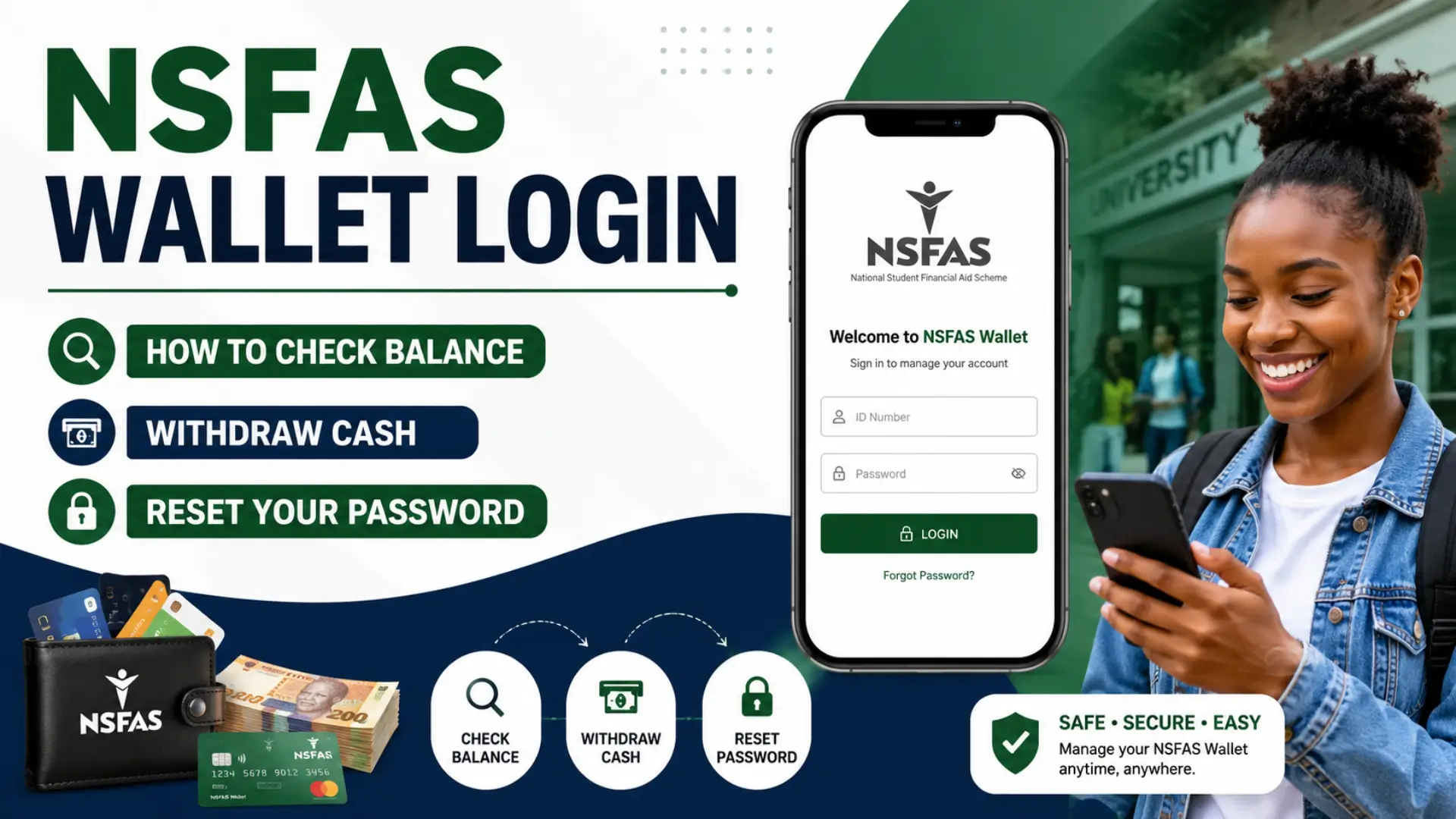
The NSFAS wallet is a digital payment system created by the National Student Financial Aid Scheme (NSFAS) for South African students. Instead of waiting for bank transfers or queuing for cash, you get your allowances straight to your phone.
Think of it like a prepaid mobile account. Your book, food, and transport allowances land in one place, and you spend them at approved merchants or withdraw cash. No bank account needed. No monthly fees. Just your cellphone.
If you’re asking “what is nsfas wallet?” it’s basically NSFAS’s way of cutting out the middleman. Students at TVET colleges and certain universities use it daily.
How Does the NSFAS Wallet Work?
Here’s the deal. Once NSFAS approves your funding, they don’t dump cash in your personal bank account. They load it into your nsfas wallet account on the Celbux system.
You get an SMS with your login details. From there, you can:
- Check your balance
- Withdraw cash at partner stores
- Buy airtime or data
- Pay at registered merchants
Your wallet runs on a voucher system. You generate a cash voucher, take it to a store like Shoprite, Usave, or Spar, and they hand you the money. Simple.
How much does nsfas wallet pay?
It depends on your course and institution. Most students get between R1,500 and R5,000 per month split across food, transport, books, and accommodation.
NSFAS Wallet Login
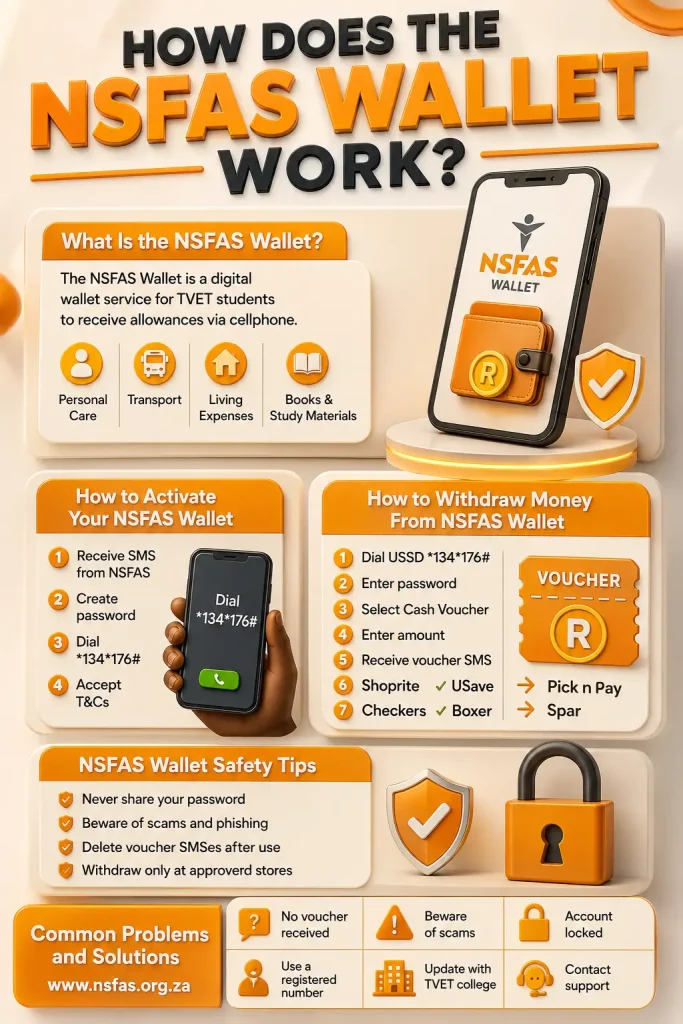
Alright, let’s get you logged in. Whether you’re on a phone or laptop, the process is the same.
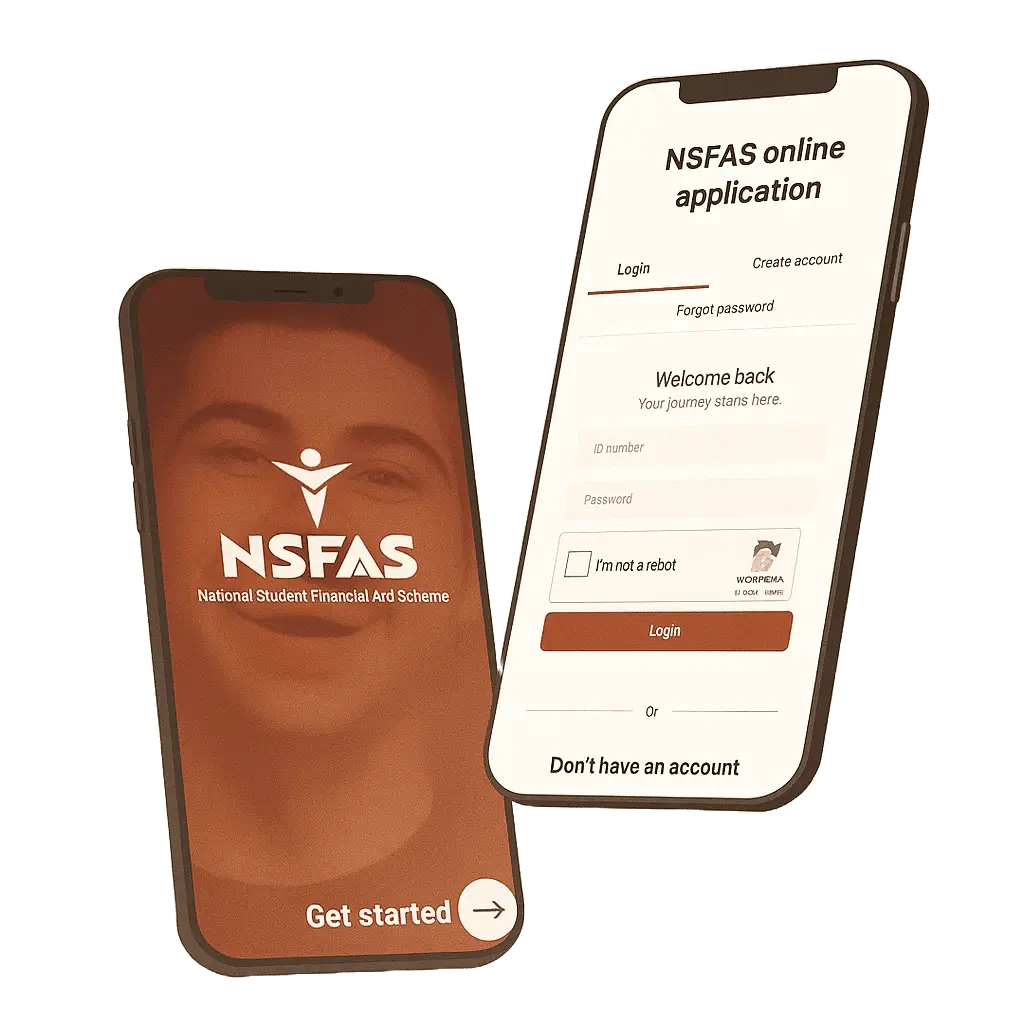
- Go to www nsfas wallet co za (the official Celbux portal)
- Enter your cellphone number the one you registered with NSFAS
- Type in your password
- Click “Login“
That’s it. You’re in.
Read Also: NSFAS Login
Forgot your password?
It happens. Click “Forgot Password” on the login page. They’ll SMS you a reset link or OTP. If you’re stuck thinking “i forgot my nsfas wallet password,” don’t panic. The reset usually takes under 5 minutes.
Pro tip: Don’t use the same password as your NSFAS main portal. Keep them separate. Less headache if one gets compromised.
How to Check Your NSFAS Wallet Balance?
You’ve logged in. Now, how do you know what’s left?
Option 1: Online
- Log in to your my nsfas wallet account
- Your balance shows on the dashboard immediately
Option 2: USSD (No internet needed)
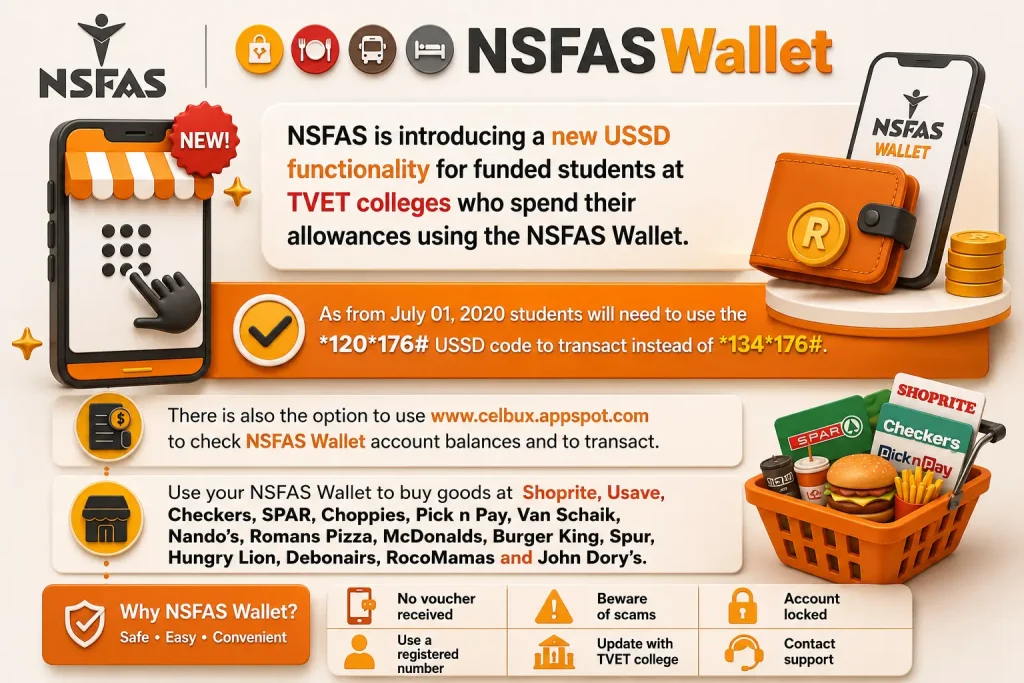
- Dial the nsfas wallet ussd code on your phone
- Follow the prompts
- Your balance pops up on screen
Option 3: WhatsApp
- Save the NSFAS WhatsApp number: 078 519 8006
- Send “Hi” and follow the menu
- Select balance check
Most students prefer the USSD method. It’s free, works on any phone, and doesn’t chew data.
Read Also: NSFAS Balance Check Online
How to Register for NSFAS Wallet (First-Time Users)?
Here’s how to create nsfas wallet account access from scratch.
First, make sure your NSFAS application is approved and your institution participates in the wallet system. Not every university uses it more on that later.
Once NSFAS confirms your funding:
- You’ll get an SMS from Celbux with a link
- Click the link and set your password
- Your nsfas wallet number (cellphone) becomes your username
Does it take time to get the nsfas wallet pin?
Usually no. The SMS arrives within 24-48 hours after funding approval. If it’s been a week, contact NSFAS directly.
Can’t find the SMS?
Check your spam folder. Or go to www nsfas wallet com and click “Register” using your NSFAS-registered number.
How to Withdraw Money from NSFAS Wallet?
You don’t transfer straight to your bank. You generate a voucher, then cash it out.
Step-by-step:
- Log in to your nsfas wallet login online
- Select “Withdraw Cash”
- Choose the amount
- A voucher code is generated
- Take that code to an approved store
- Show your ID and the code
- Collect your cash
Where can you withdraw?
| Store | Max Per Transaction | Daily Limit |
|---|---|---|
| Shoprite | R1,000 | R3,000 |
| Usave | R1,000 | R3,000 |
| Checkers | R1,000 | R3,000 |
| Spar | R500 | R2,000 |
| Boxer | R500 | R2,000 |
Can nsfas wallet money be withdrawn at usave?
Yes. Usave is one of the main partners. Just make sure you generated the voucher before going to the till.
How much to withdraw per day from nsfas wallet?
Most stores cap you at R2,000-R3,000 daily. Plan ahead if you need more.
Can I Transfer NSFAS Wallet to My Bank Account?
Not directly. There’s no “transfer to bank” button inside the wallet. The system is designed to keep allowances within the NSFAS ecosystem.
But here’s a workaround:
- Withdraw cash at a store (as explained above)
- Deposit that cash into your bank account
It’s a two-step process. Annoying? Maybe. But that’s how the nsfas e wallet system is built.
Some students ask “can i transfer nsfas wallet directly to my personal account?” unfortunately, no. NSFAS wants to track where the money goes. Direct bank transfers would break that chain.
NSFAS Wallet for UNISA Students
Is the nsfas wallet applicable to unisa students?
Yes and no. UNISA does use NSFAS funding, but they handle allowances differently. Most UNISA students get their allowances via direct bank transfer, not the mobile wallet.
However, some UNISA students especially those at specific regional centers do get access to the nsfas wallet unisa system.
Mobile wallet nsfas for unisa students works the same way if you’re eligible. Log in at the same portal. Same USSD codes. Same withdrawal process.
If you’re unsure, check your NSFAS status or call the NSFAS contact center. Don’t assume you’re on the wallet system just because you’re at UNISA.
How to Reset or Recover Your NSFAS Wallet Password?
Locked out? Let’s fix it.
If you forgot your password:
- Go to the login page
- Click “Forgot Password“
- Enter your cellphone number
- Wait for the OTP
- Create a new password
How to reset my nsfas wallet password if the OTP doesn’t arrive?
Try again after 15 minutes. Network delays happen. If it still fails, email NSFAS with your ID number and cellphone number.
How to get your nsfas wallet pin if you forgot it?
Same process. The “PIN” and “password” are the same thing in this system. There’s no separate PIN like your ATM card.
Account locked after too many tries?
You’ll need to contact NSFAS support. They can manually unlock it. Usually takes 24-48 hours.
NSFAS Wallet Not Working
Nsfas mobile wallet not working if you’ve typed this into Google, you’re not alone.
| Problem | Likely Cause | Fix |
|---|---|---|
| Can’t log in | Wrong password | Reset password |
| Balance not showing | System maintenance | Wait 2-4 hours |
| Voucher won’t generate | Insufficient funds | Check balance first |
| “Process abort” error | Browser issue | Clear cache or try another browser |
| Store won’t accept voucher | Wrong store type | Only use approved merchants |
Nsfas wallet process abort problem usually happens on older phones or outdated browsers. Switch to Chrome or Safari. If you’re on a Nokia 3310-style phone, the USSD method is your best bet.
Nsfas wallet account blocked?
This usually means suspicious activity was detected. Call NSFAS. They’ll verify your identity and unblock it.
How to Use NSFAS Wallet for Everyday Purchases?
You don’t always need to withdraw cash. The wallet works like a digital debit card at registered merchants.
How to buy airtime using nsfas wallet:
- Log in to your account
- Select “Buy Airtime”
- Choose your network (Vodacom, MTN, Cell C, Telkom)
- Enter the amount
- Confirm
The airtime loads instantly. No service fees.
How to use nsfas mobile wallet at merchants:
- Look for the Celbux or NSFAS Wallet logo
- Tell the cashier you’re paying via wallet
- They’ll give you a merchant code
- Enter it in your wallet and confirm
Takealot nsfas wallet?
Unfortunately, no. Takealot isn’t a registered merchant. You’d need to withdraw cash and use that instead.
NSFAS Wallet Allowances
NSFAS doesn’t dump everything at once. Allowances are split by category.
| Allowance Type | Typical Amount | Paid |
|---|---|---|
| Food | ~R1,500/month | Monthly |
| Transport | ~R750/month | Monthly |
| Books | ~R5,200/year | Once per year |
| Accommodation | Varies | Monthly or per term |
Nsfas wallet fund 12 months yes, if you’re funded for the full academic year, you get allowances for 12 months. Some students only get 10 months if their course is shorter.
Northlink nsfas wallet allowances follow the same structure as other TVET colleges. The amounts are set nationally, not by the college. For more information, visit my NSFAS Allowance page.
How to Unlock NSFAS Wallet Account
Got the dreaded “account locked” message?
How to unlock nsfas wallet account:
- Don’t keep trying random passwords it makes it worse
- Call NSFAS: 08000 67327
- Or email: [email protected]
- Provide your ID, student number, and registered cellphone
- They’ll verify and unlock within 1-2 business days
Nsfas wallet account locked situations usually resolve quickly if you go through official channels. Don’t trust WhatsApp groups offering “instant unlocks” those are scams.
NSFAS Wallet vs. NSFAS Bank Account
Some students get confused between the wallet and a regular bank account.
| Feature | NSFAS Wallet | Personal Bank Account |
|---|---|---|
| Bank card | No | Yes |
| Monthly fees | None | Depends on bank |
| Withdraw cash | Via voucher at stores | ATM or branch |
| Buy online | Limited | Yes |
| NSFAS tracking | Full | Partial |
Institutions falling under nsfas e wallet include most TVET colleges and some universities. If your school isn’t on the list, you probably get direct deposits instead.
Forgotten NSFAS Wallet Password?
It happens to the best of us. You’re trying to check your balance before a test, and your mind goes blank.
Forgotten nsfas wallet password
Here’s your fastest route back in:
- Use the “Forgot Password” link on the login page
- Or dial the USSD code and follow the password reset option
- Still stuck? The NSFAS WhatsApp bot can guide you through it
Keep your new password somewhere safe. Not on a sticky note on your laptop. Maybe your phone’s notes app with a lock on it.
Can You Reverse Money from NSFAS Wallet?
Made a mistake? Sent money to the wrong place?
How to reverse money from nsfas wallet?
Unfortunately, reversals aren’t built into the system. Once a voucher is generated or airtime is bought, it’s done.
If you generated a cash voucher but haven’t cashed it yet, it might expire automatically after 24-48 hours. The funds should return to your balance. But don’t count on it double-check everything before you confirm.
NSFAS Wallet Stores & Merchants
Not every shop accepts wallet payments. Stick to the approved list.
Major nsfas wallet stores
- Shoprite
- Usave
- Checkers
- Spar
- Boxer
- Selected petrol stations
- Registered campus bookshops
How to withdraw transport money from nsfas wallet?
Same as any other withdrawal. Generate a voucher, go to a store, get cash. Use it for your taxi or bus fare.
Read Also: NSFAS Consent Form 2026: PDF Download, How to Fill & Submit
Conclusion
Look, the nsfas wallet isn’t perfect. The login can be glitchy. The voucher system feels old-school. And yeah, not being able to transfer straight to your bank is annoying.