Coinvest NSFAS Login & Registration Guide 2026

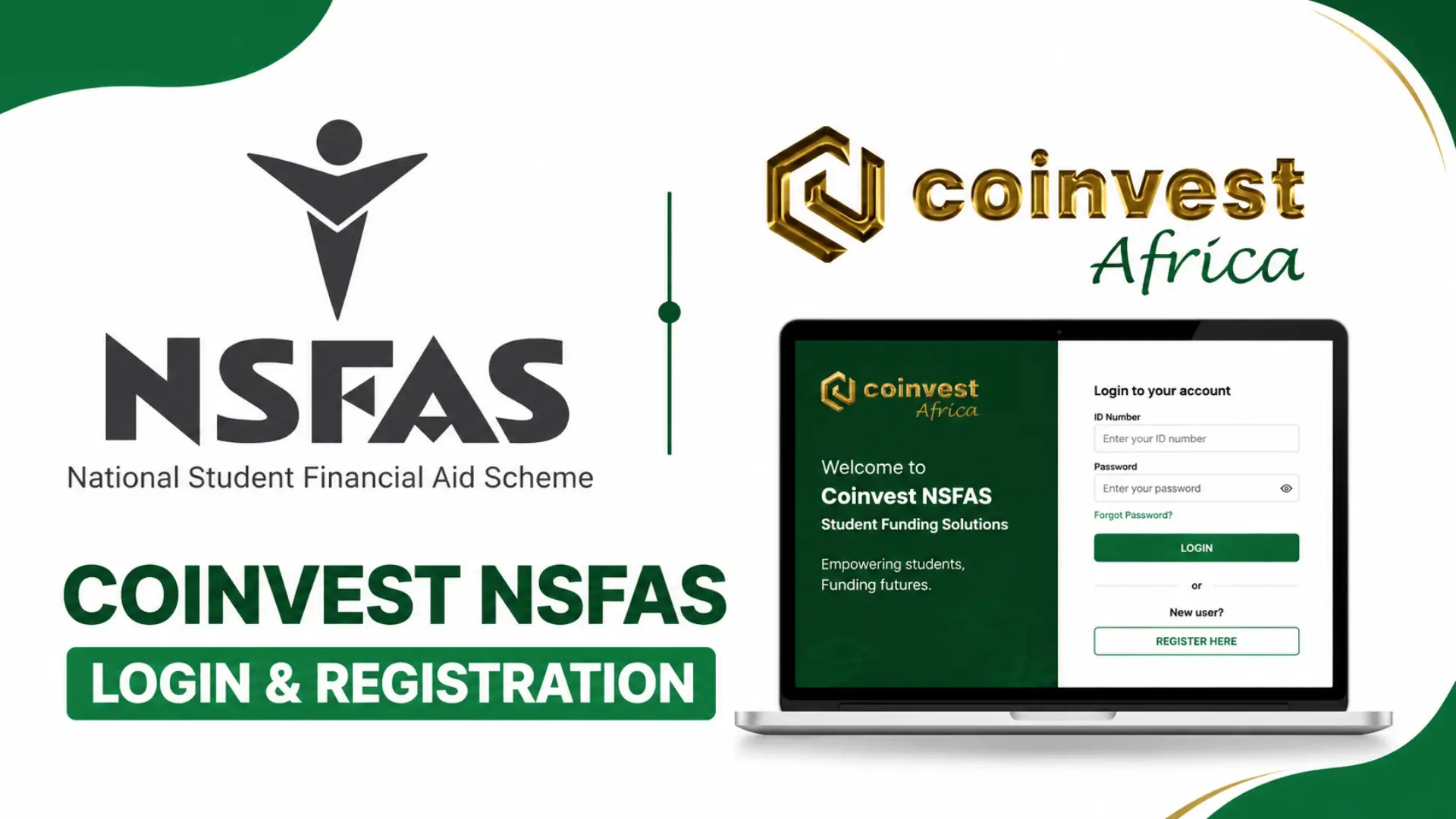
If you’re a South African student relying on NSFAS funding, you’ve probably heard about Coinvest NSFAS the platform that handles your monthly allowances. But let’s be honest: figuring out how to actually use it can feel overwhelming. Between login issues, registration confusion, and withdrawal delays, most students get stuck before they even start. I’ve been there. That’s why this guide exists. Whether you need help with Coinvest NSFAS login with ID number, setting up your account for the first time, or simply checking your balance, I’ll walk you through everything step-by-step. No jargon. No fluff. Just answers that actually work.
What Is Coinvest NSFAS and Why Should Students Care?
Let’s cut to the chase. Coinvest NSFAS is the digital payment platform that NSFAS (National Student Financial Aid Scheme) uses to disburse student allowances. If you’re a funded student, this is where your money lives.
Think of it as your NSFAS wallet. Instead of waiting for bank transfers or queuing at campus offices, Coinvest puts your allowance in your hands literally, through their app or card system.
Here’s the thing though. Most students get stuck. Login issues. Registration confusion. Withdrawal delays. I’ve seen it all.
How Do I Access the Coinvest NSFAS Login Portal?
The Coinvest NSFAS login portal is your gateway to checking balances, requesting withdrawals, and managing your account. But accessing it isn’t always straightforward.
Step-by-Step Login Process
- Visit www.coinvest nsfas or go directly to nsfas.coinvest.africa
- Click “Login” on the homepage
- Enter your ID number (this is your username)
- Enter your password
- Click “Sign In”
Done. You’re in.
What If I Forgot My Password?
Don’t panic. It happens to everyone.
- Click “Forgot Password” on the login page
- Enter your ID number
- You’ll receive an OTP (One-Time PIN) via SMS
- Create a new password
- Log back in
Pro tip: Use a password you’ll actually remember. Your ID number + birth year isn’t as clever as you think.
Read Also: NSFAS Login Portal
Coinvest NSFAS Login with ID Number
Yes. And honestly, it’s the only way that works reliably.
Coinvest NSFAS login with ID number is the standard method. Your South African ID number is your unique identifier on the platform. No student number needed. No email required (though linking one helps with recovery).
| Login Method | Works? | Notes |
|---|---|---|
| ID Number | Yes | Primary method, always works |
| Sometimes | Only if previously linked | |
| Student Number | No | Not supported on Coinvest |
| Phone Number | Rarely | SMS recovery only |
If your Coinvest NSFAS login password isn’t working, double-check that you’re using the ID number associated with your NSFAS application. Mismatched ID numbers are the #1 reason for login failures.
How Do I Complete Coinvest NSFAS Registration?
First time using the platform? You’ll need to register. And no, it’s not the same as your NSFAS application.
What’s the Difference?
| NSFAS Application | Coinvest NSFAS Registration |
|---|---|
| Applies for funding | Manages your allowance payments |
| Done on nsfas.org.za | Done on nsfas.coinvest.africa |
| Once per academic year | Once, then ongoing use |
| Requires academic docs | Requires ID and phone verification |
Registration Steps
- Go to nsfas.coinvest.africa
- Click “Register” or “Sign Up”
- Enter your South African ID number
- Provide your active cellphone number
- Create a secure password
- Verify via OTP sent to your phone
- Set up your security questions
Important: The cellphone number you use must match the one on your NSFAS application. If you’ve changed numbers, update it with NSFAS first. Otherwise, registration will fail.
How Do I Check My Coinvest NSFAS Status?
Waiting for your allowance to drop? Yeah, the anxiety is real. Coinvest NSFAS login status check is simple once you’re logged in:
- Log into your Coinvest NSFAS account
- Look for “Balance” or “Wallet” on the dashboard
- Your available balance displays immediately
Read Also: NSFAS Status Check by ID Number
What Do the Statuses Mean?
| Status | Meaning | What To Do |
|---|---|---|
| Active | Account ready, funds available | Withdraw or spend as needed |
| Pending | Registration not complete | Finish verification steps |
| Locked | Too many failed login attempts | Contact support, wait 24hrs |
| Suspended | NSFAS funding issue | Check NSFAS application status |
| Zero Balance | No funds disbursed yet | Wait for NSFAS payment cycle |
NSFAS typically disburses allowances monthly, aligned with academic calendars. If your balance shows zero mid-month, don’t stress it’s probably just not payday yet.
Coinvest NSFAS Withdrawal
Here’s where things get interesting. And sometimes frustrating. Coinvest NSFAS withdrawal isn’t like drawing cash from an ATM with a normal bank card. The platform uses a specific process.
Withdrawal Methods
| Method | Processing Time | Fees |
|---|---|---|
| Coinvest Card (if issued) | Instant | Usually free |
| Bank Transfer (EFT) | 1-3 business days | May apply |
| Retail Partner (Shoprite, Checkers, etc.) | Instant | Small fee (~R5-R10) |
| Mobile Wallet | Instant | Network dependent |
Step-by-Step Withdrawal
- Log into your Coinvest NSFAS account
- Select “Withdraw” or “Cash Out”
- Choose your preferred method
- Enter the amount
- Confirm with OTP
- Collect cash or wait for EFT
Heads up: Daily withdrawal limits apply. Usually around R1,000-R1,500 per day, depending on your NSFAS allowance type. Book allowance and meal allowance may have different limits.
Coinvest NSFAS Balance Check — Quick Methods
You don’t always need to log in. Here are faster ways:
- Coinvest NSFAS app: Open it, balance shows on home screen
- USSD: Dial the short code (varies by campus, check with your institution)
- SMS: Some students receive automatic balance alerts
- Login portal: Full transaction history available
The Coinvest NSFAS app is honestly your best bet. It’s faster than the website, works on basic smartphones, and sends push notifications when funds arrive.
Coinvest NSFAS App — Download and Setup
Speaking of the app, let’s talk about it properly. Coinvest NSFAS app is available for Android and iOS. Search “Coinvest Africa” or “Coinvest NSFAS” in your app store.
App Features
- Instant balance check
- One-tap withdrawals
- Transaction history
- Push notifications for deposits
- Profile management
- Security settings
Setup Process
- Download from Google Play or App Store
- Open the app
- Enter your ID number
- Enter your Coinvest NSFAS login password
- Enable biometric login (fingerprint/face) if your phone supports it
The biometric option is a game-changer. No more forgetting passwords at 11 PM when you need to check if your book allowance dropped.
Common Coinvest NSFAS Problems (And Real Solutions)
My Login Says ‘User Not Found
Your NSFAS application might not be linked to Coinvest yet. Or your ID number was captured incorrectly.
Fix: Contact your campus financial aid office first. They can verify if your details were submitted correctly to NSFAS.
I Registered But Can’t Log In
Usually a password issue. Or you used a different ID format (with vs without spaces).
Fix: Try your ID number without spaces. If that fails, use the “Forgot Password” flow.
Withdrawal Failed but Money Deducted
This is the worst. But it happens.
Fix: Don’t withdraw again immediately. Wait 24 hours. The system usually auto-reverses failed transactions. If not, log a query through the app or call Coinvest support.
App Keeps Crashing
Fix: Clear cache. Update the app. If it’s still broken, use the mobile website at nsfas.coinvest.africa it works on any browser.
Coinvest Africa NSFAS — Is It Legit?
Absolutely. Coinvest Africa NSFAS is the official payment partner for NSFAS. This isn’t some fly-by-night operation.
NSFAS (National Student Financial Aid Scheme) is a South African government entity. They don’t partner with just anyone. Coinvest was selected through a proper procurement process to handle the massive volume of student payments — we’re talking hundreds of thousands of students across all 26 public universities and 50+ TVET colleges.
So yes, your money is safe. The platform is regulated. And if something goes wrong, you have recourse through both NSFAS and Coinvest support channels.
What Should I Do If My Coinvest NSFAS Account Is Locked?
Account locks happen after multiple failed login attempts. It’s a security feature, not a punishment.
Immediate steps:
- Stop trying to log in for 24 hours
- After 24 hours, try once with the correct credentials
- If still locked, call Coinvest support: 0800 00 6684 (check current number on their site)
- Have your ID number ready
- They’ll verify your identity and unlock manually
Prevention: Don’t let your friends “try” your password. Don’t save passwords in browsers on shared computers. And definitely don’t use “Password123.”
How Long Does Coinvest NSFAS Withdrawal Take?
Depends on your method.
| Method | Typical Timeframe |
|---|---|
| Coinvest Card at ATM | Instant |
| Retail partner withdrawal | Instant |
| Bank EFT | 1-3 business days |
| Weekend/holiday request | Next business day |
EFTs are the slowest. If you need cash today, use the retail partner option or card. The small fee is worth not waiting 3 days when you’re broke on a Sunday.
Frequently Asked Questions
Conclusion
Coinvest NSFAS doesn’t have to be complicated. Log in with your ID, check your balance regularly, and withdraw smartly. Download the app, keep your details updated, and you’ll never miss an allowance drop again. Simple as that.